Learning Systems
Open Study Hub
A three-tool stack turns every class session into a transcript, a podcast, a quiz, and flashcards, then gives the whole class the same access to all of it.
43
courses organized
528
class sessions transcribed
90
professors trained on the system
Access Before Advantage
The graduate program grades on a curve, which rewards keeping good notes private. The hub takes the opposite position: every student receives the same transcripts, the same audio, and the same practice questions, because access to the information matters more than a small edge over a classmate.
The same materials level the field for students with disabilities or accommodations. A recorded, transcribed, and summarized session lets every student spend class time learning instead of transcribing.
The Stack
Three layers, each doing one job, with the steps to rebuild it
Layer 1: Capture
Otter
Otter records each class session and produces a full transcript, so attention in the room goes to the discussion instead of to note-taking.
- 1Start one recording per session and name it with the course and session number.
- 2Export the transcript as a PDF when the session ends.
- 3Keep the professor's slides for the same session next to it.
Layer 2: Organize
Notion
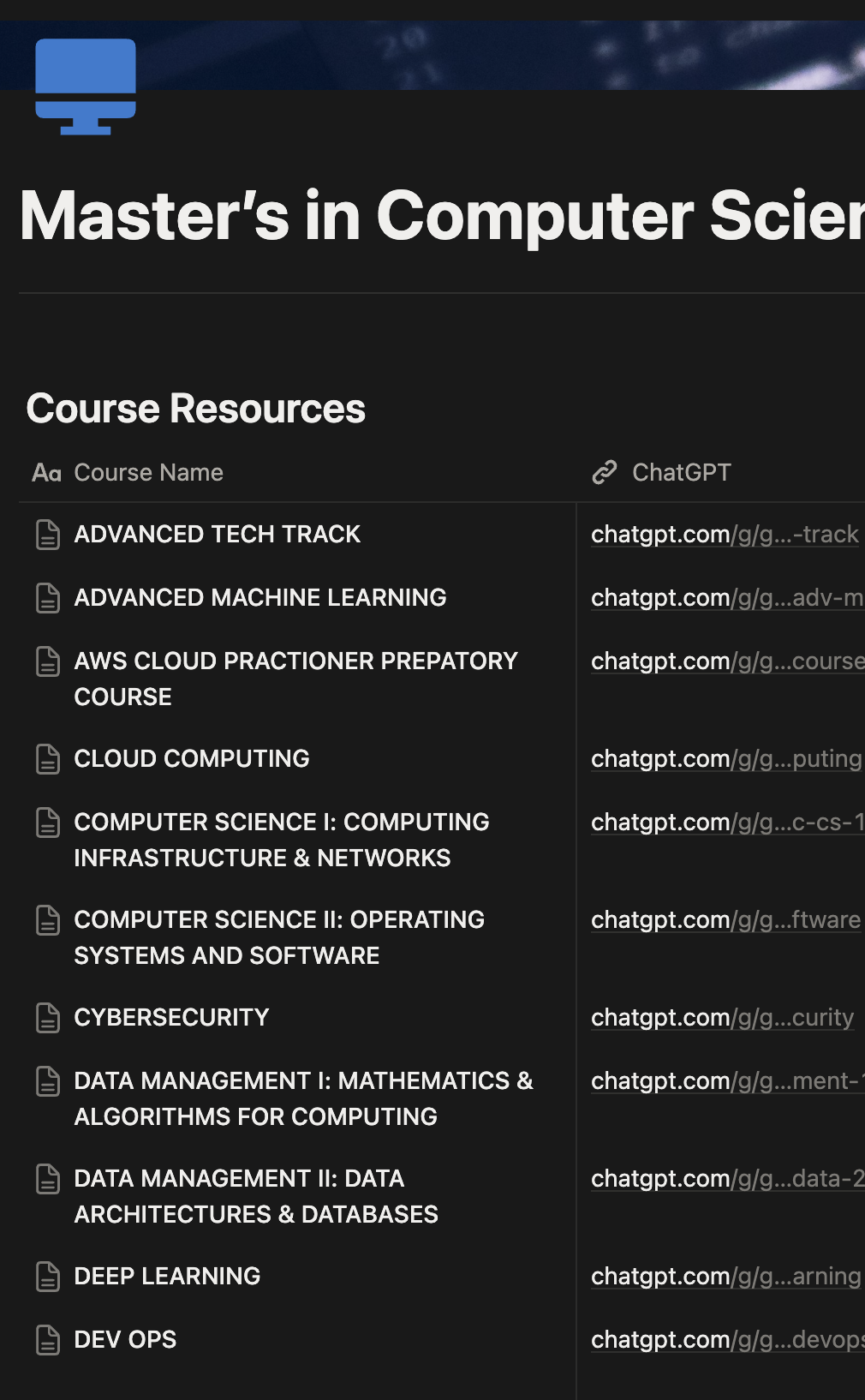
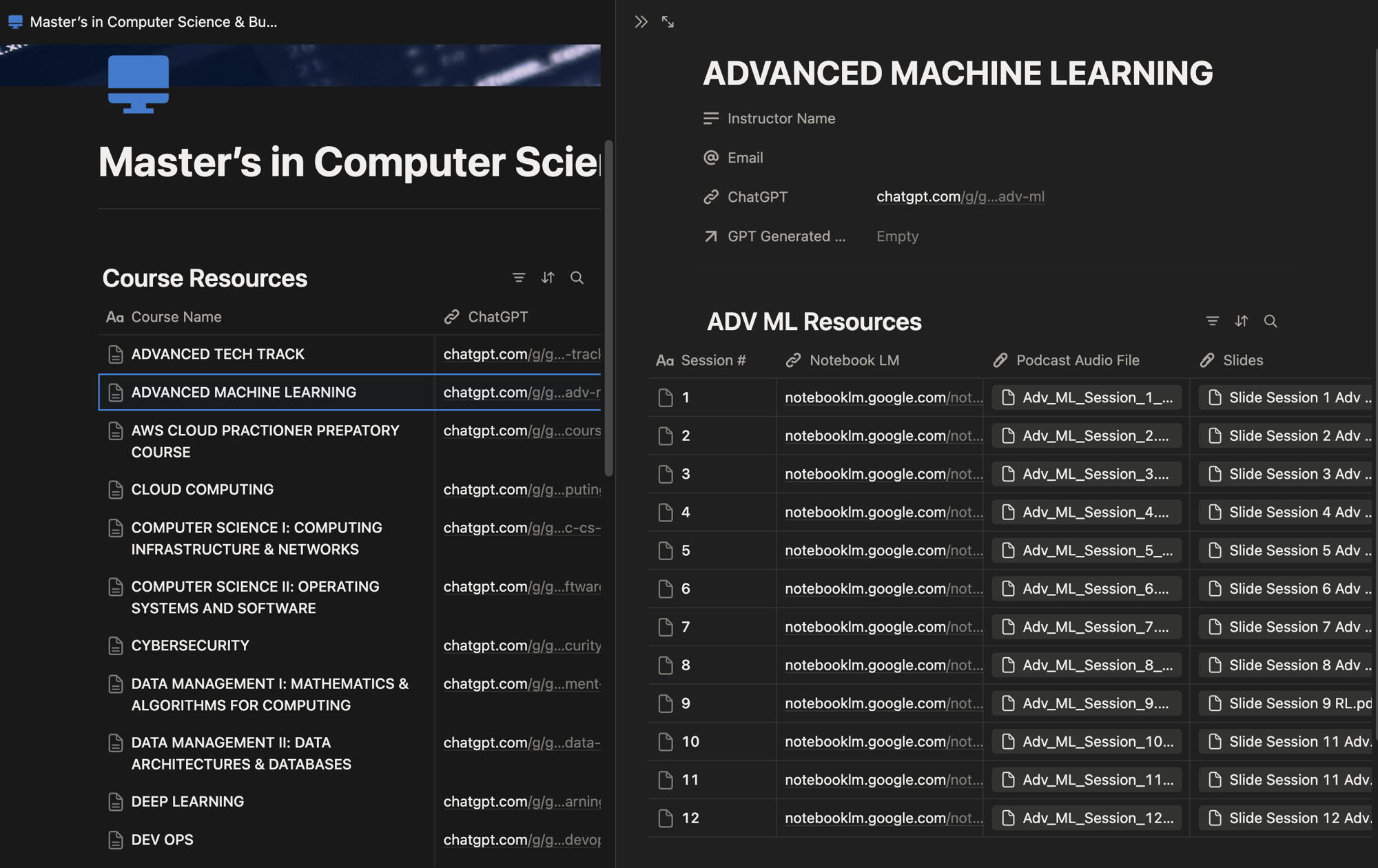
Notion holds the hub. One database lists every course, and each course page holds a second database with one row per session.
- 1Create a Course Resources database with one page per course and the instructor's name.
- 2Inside each course, add a Resources database with four columns: session number, NotebookLM link, podcast audio file, and slides.
- 3Share the workspace with the whole class by link, with view access for everyone.
 (opens in a new tab)
 (opens in a new tab)
Layer 3: Generate
NotebookLM
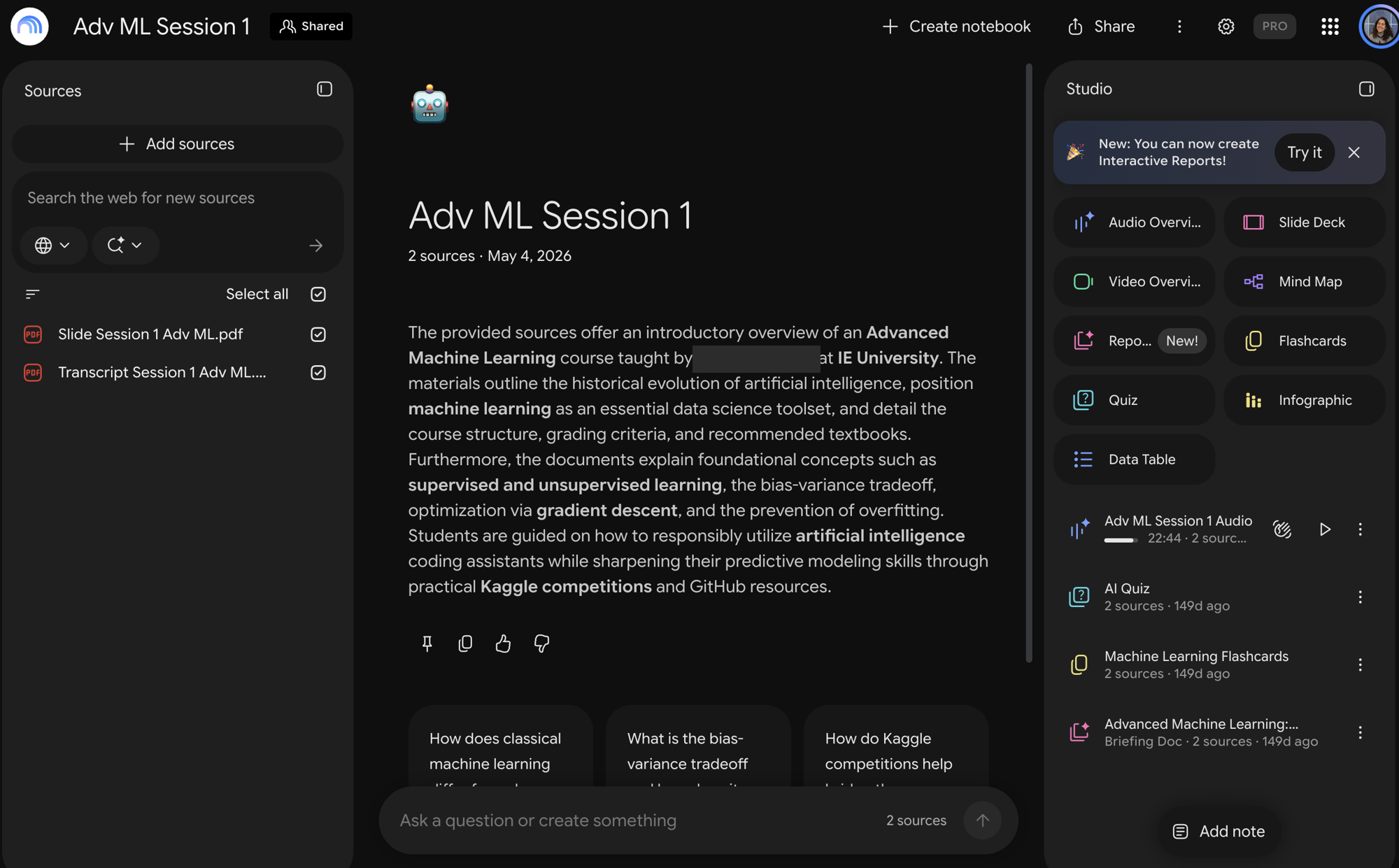
NotebookLM reads only the two sources it receives for a session, the transcript and the slides, and builds study materials grounded in what the professor said.
- 1Create one notebook per session and add the transcript PDF and the slide PDF as its sources.
- 2Generate an Audio Overview, a quiz, and a set of flashcards from those sources.
- 3Download the audio, attach it to the session's row in Notion, and paste the notebook link beside it.
 (opens in a new tab)
From One Student to the Faculty
The hub started as one student's study method and spread through the cohort by link. The Academic Director then asked for training on it for 30 professors, and the Vice Dean leading AI implementation invited two further sessions for 60 more.
Nothing in the stack requires code. Any class, in any subject, can rebuild it in an afternoon with the steps above.