
Zara UX Redesign
An analysis of the Zara mobile app identified usability issues through the lens of established UX laws. The evaluation focused on scrolling behavior, navigation clarity, and reducing cognitive load to improve conversion and user satisfaction.
High Level Overview
Click on an icon to jump to that section
Software
Development
Lifecycle
Wireframes
Wireframes
Planning
The planning phase defined the problem and established success criteria.
Project Purpose
The redesign aimed to improve Zara's mobile browsing clarity and reduce cognitive load.
Scope Definition
- •Product browsing experience
- •Scrolling behavior
- •Navigation structure
Success Criteria
- Reduced friction in product browsing
- Clearer exploration and navigation
- Improved browsing confidence
Analysis
The analysis examined user behavior and mapped the competitive landscape.
User Behavior Context
Zara target users engage in inspiration driven browsing and window shopping. They explore products visually without immediate commitment, requiring seamless navigation to support discovery without friction.
Core UX Problem
Scrolling on a product image shows a new product instead of more images of the same product, breaking user expectations.
Impact on Users
- •Confusion and unexpected behavior
- •Increased cognitive load
- •Decision fatigue
Competitive Analysis
Zara
Scrolls to next product
Diverges from expectations
Mango
Shows more product images
Standard behavior
H&M
Shows more product images
Standard behavior
Design
The design strategy drew on established UX laws to define the solution approach.
UX Laws Applied
Jakob's Law
Users prefer your site to work the same way as sites they already know.
Pain Point
Scrolling should reveal more images, not jump to a different product.
Hick's Law
Decision time increases with the number and complexity of choices.
Pain Point
Too many categories and options create cognitive overload.
Miller's Law
The average person can keep 7 ± 2 items in working memory.
Pain Point
Limit visible categories and options to reduce memory load.
Von Restorff Effect
The item that differs from the rest is most likely to be remembered.
Pain Point
Make Add to Cart stand out visually to guide user action.
Design Principles
Familiar Interactions
Match expected patterns
Reduced Choice Complexity
Simplify navigation
Clear Visual Hierarchy
Guide attention
Implementation
Design execution across iterations
Wireframes V1
Implementation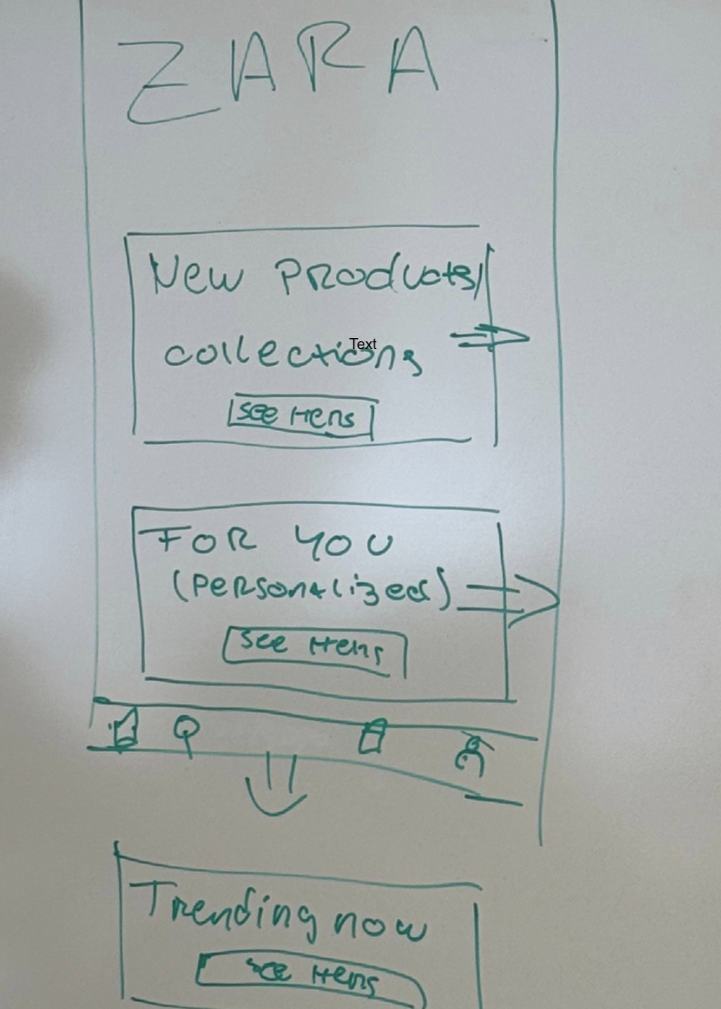
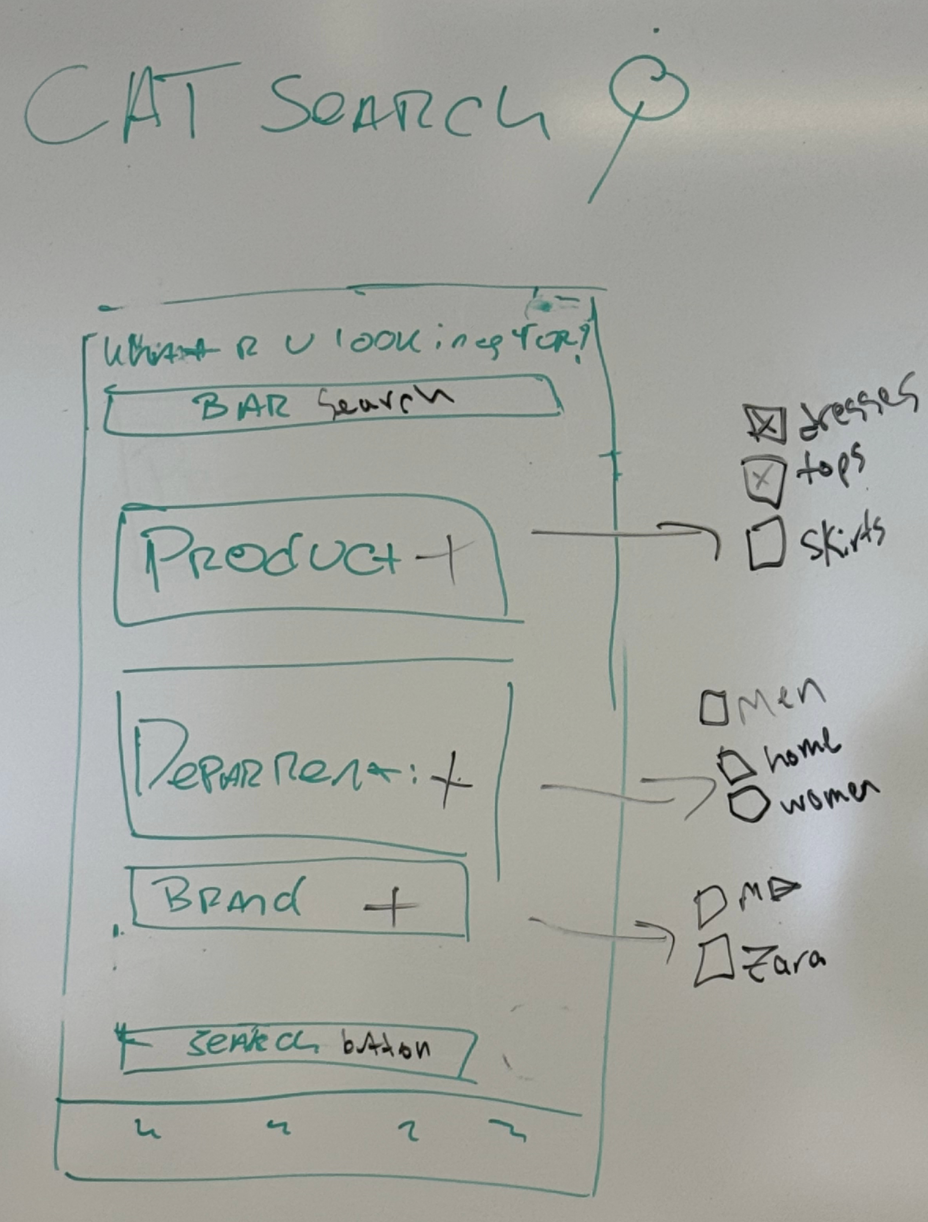
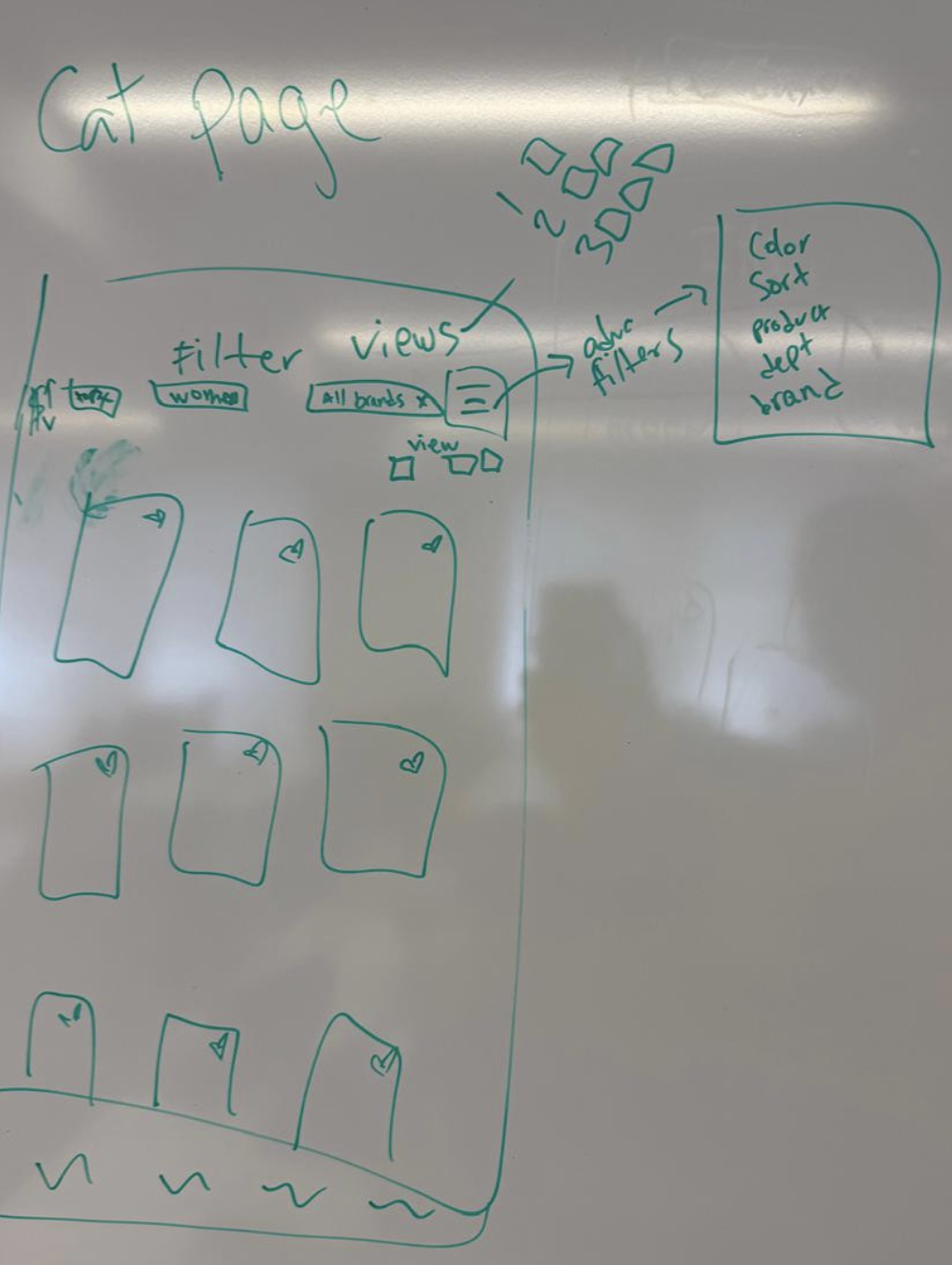
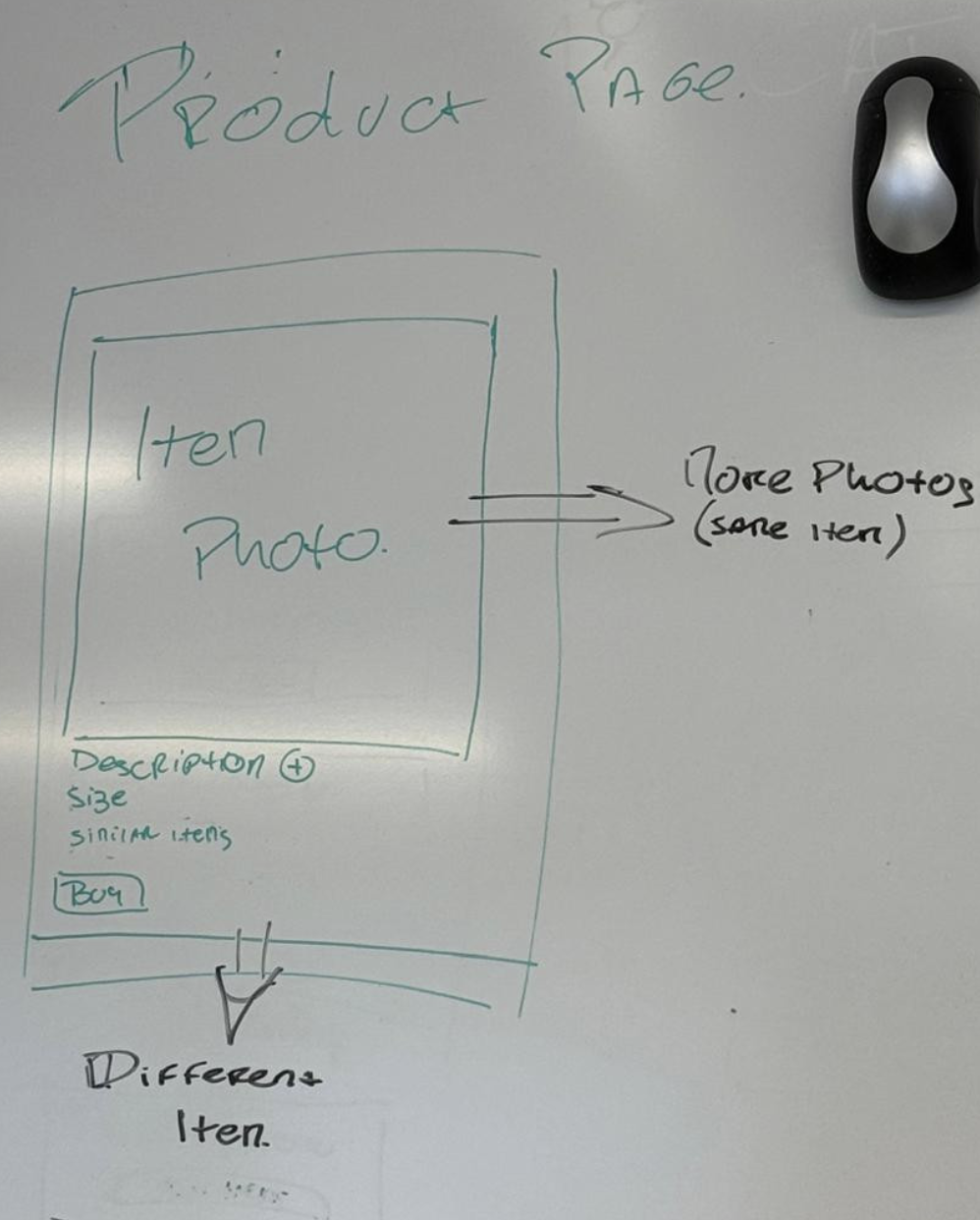
Initial Structure and Interaction Hypotheses
Low-fidelity wireframes explored simplified navigation structure and basic product layout to test core interaction patterns.
Usability Testing V1
TestingValidation of scrolling behavior and navigation clarity
Wireframes V2
Implementation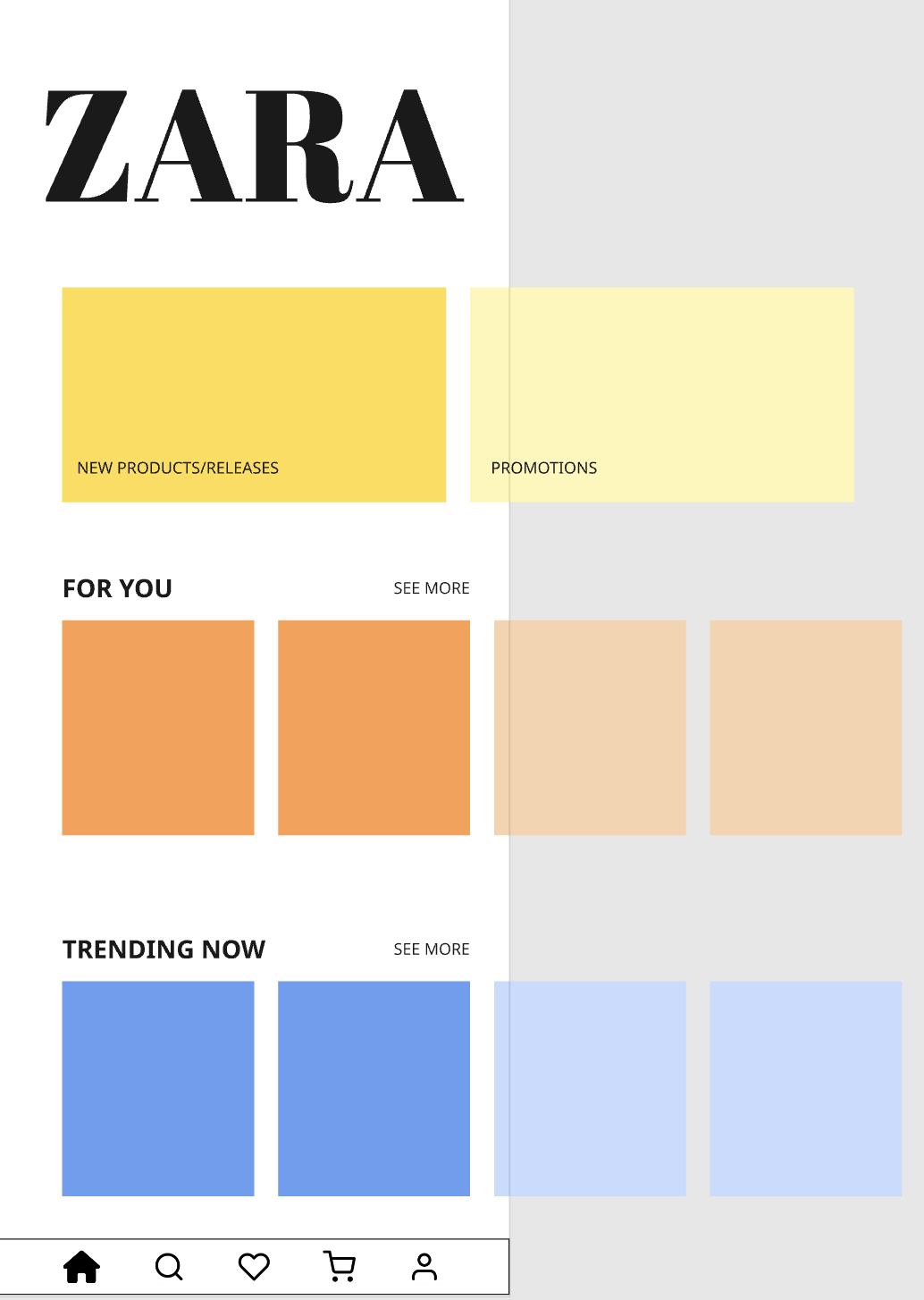
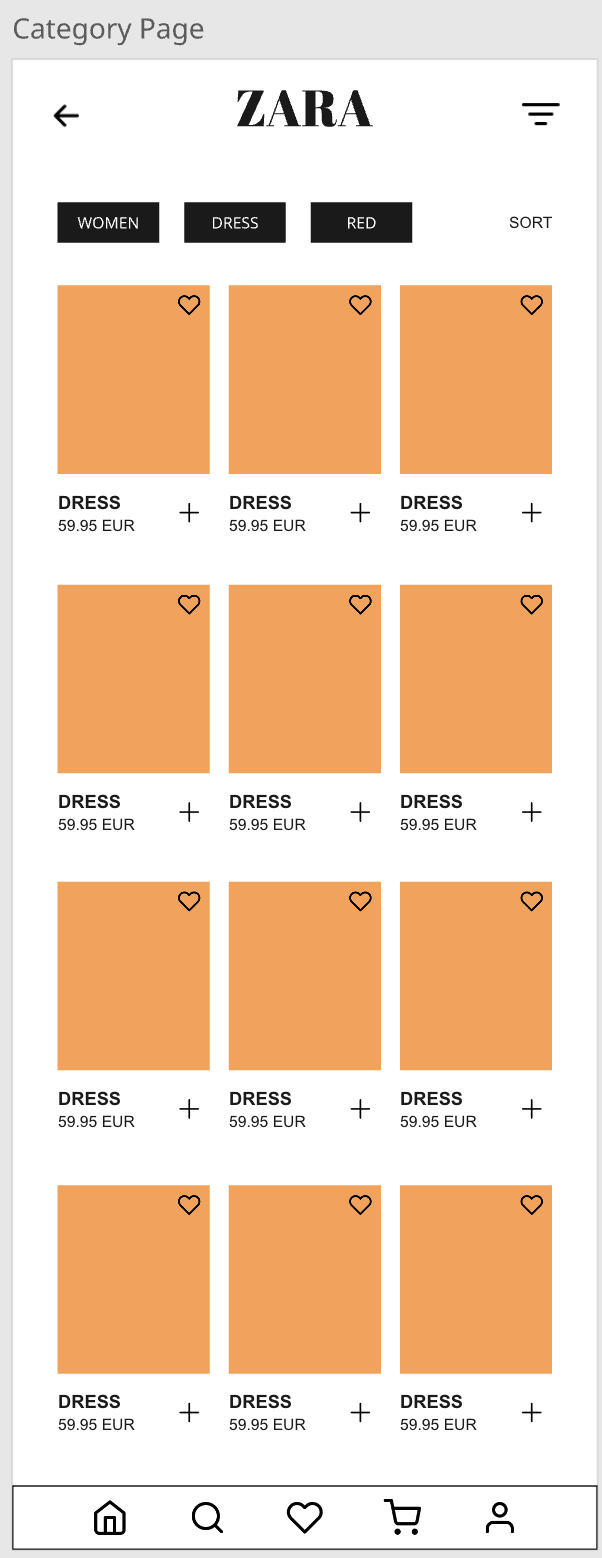
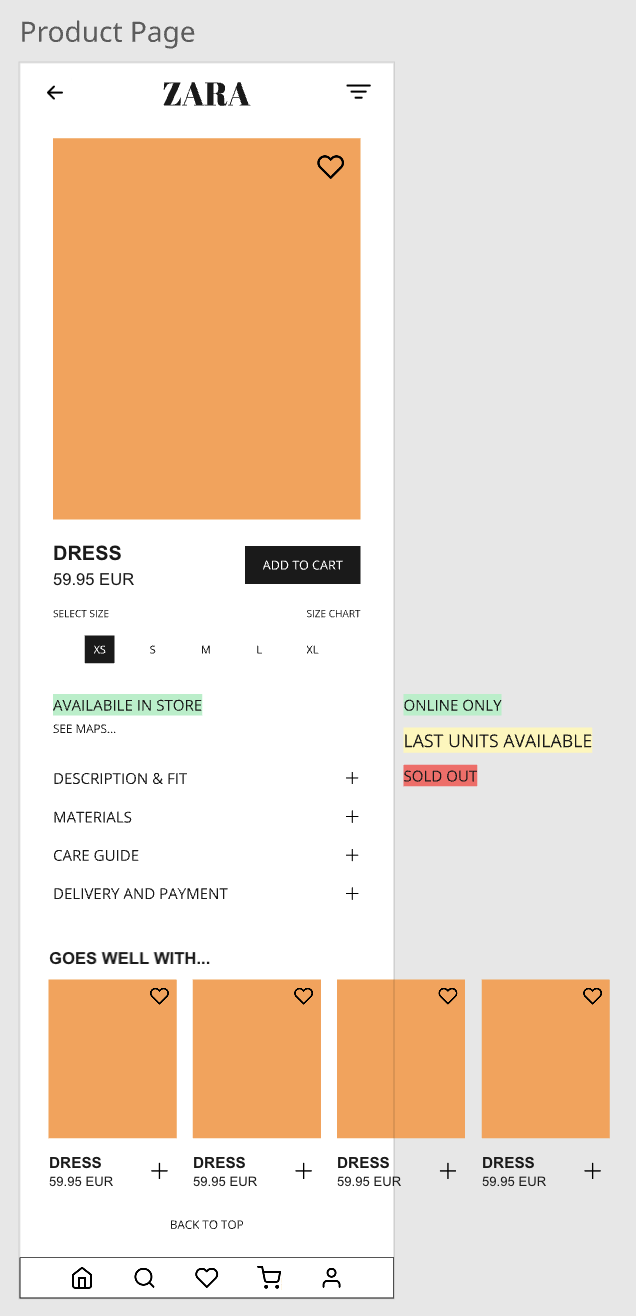
Refined Layouts and Interaction Adjustments
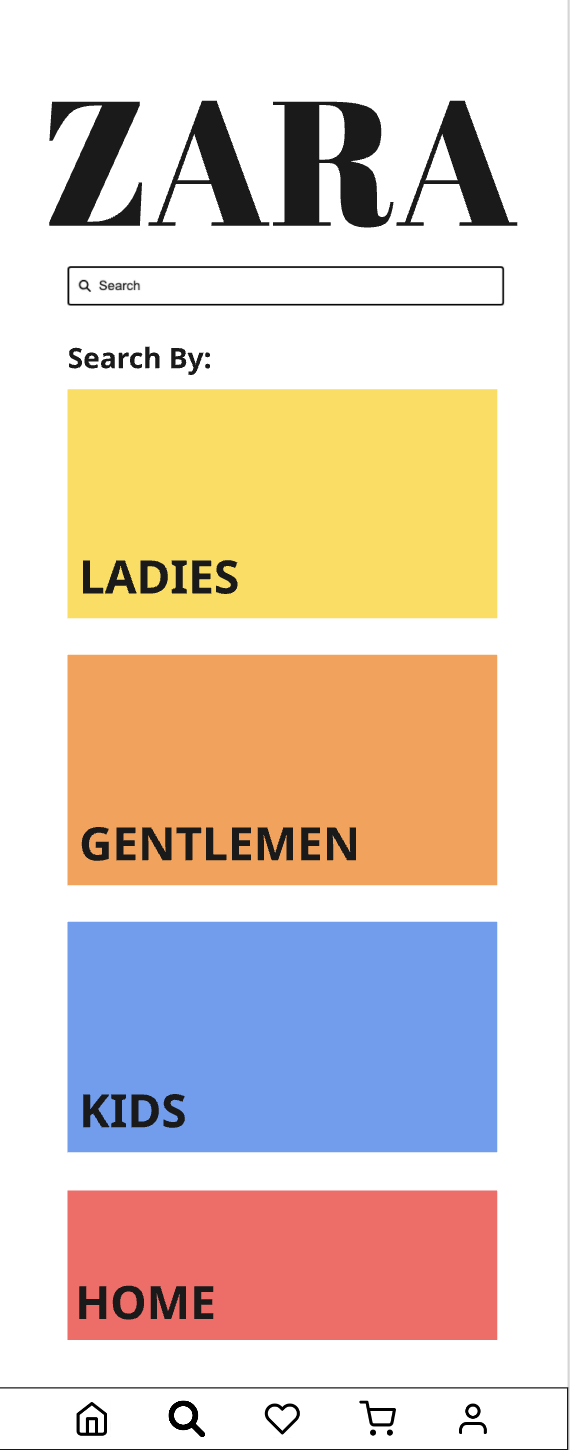
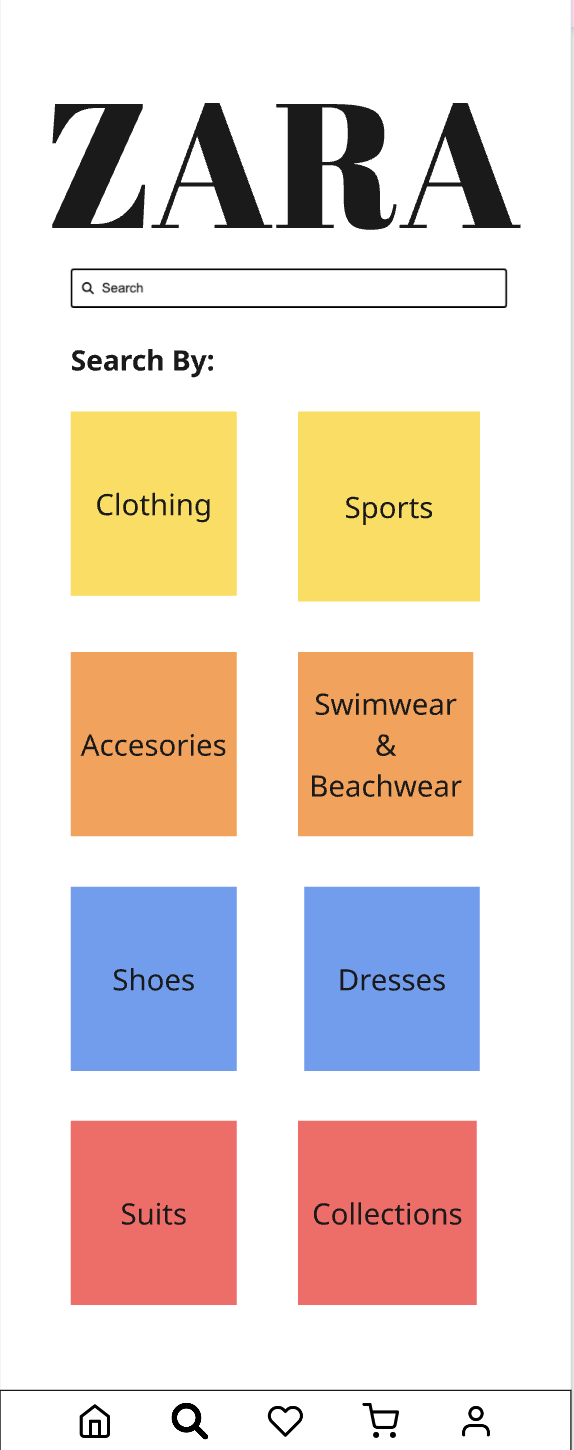
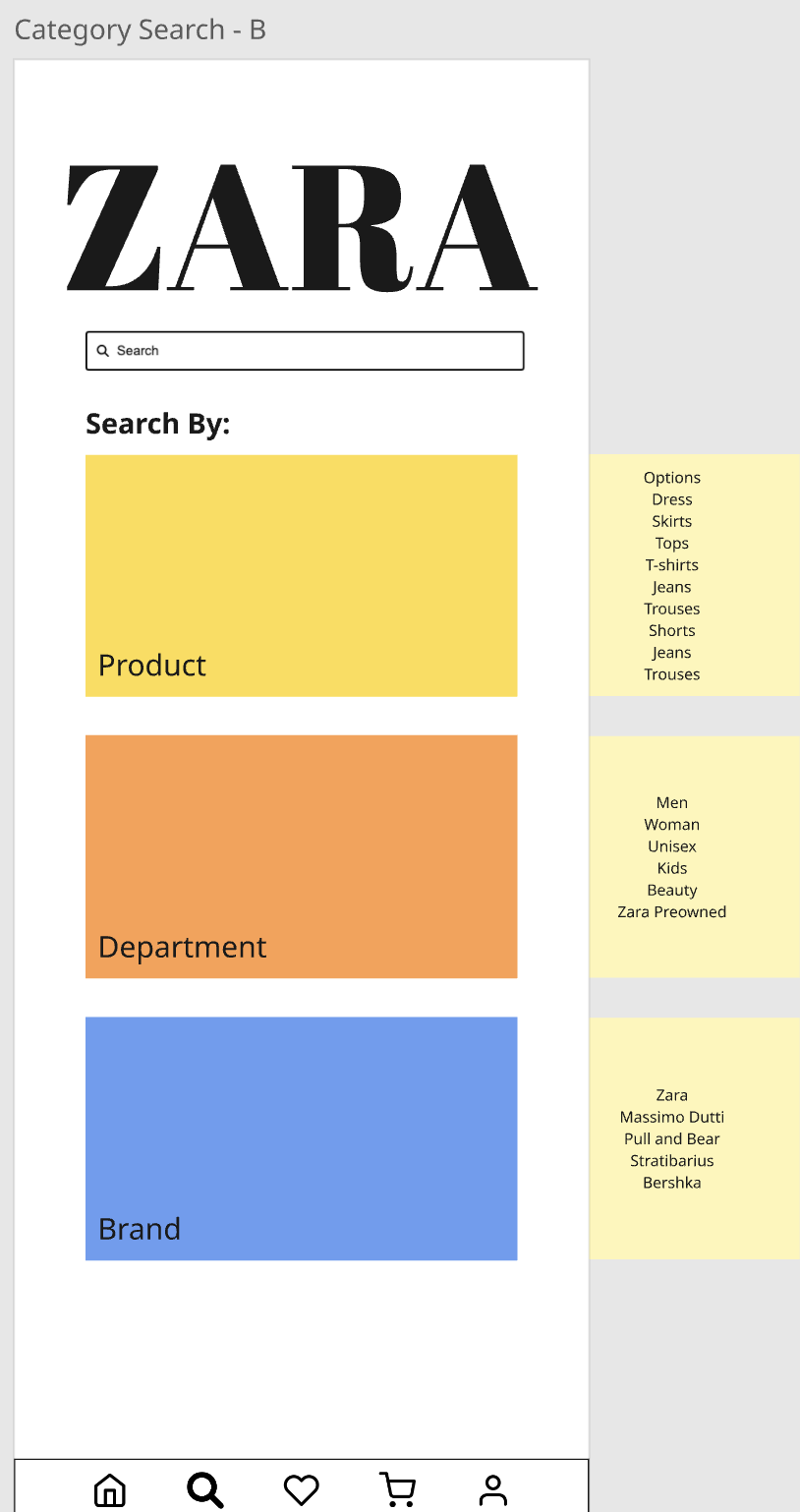
The second iteration introduced larger product cards with improved scrolling behavior, clearer category filtering, and enhanced navigation hierarchy based on V1 feedback.
Usability Testing V2
TestingConfirmation of improvements and remaining friction
Wireframes V3 Final

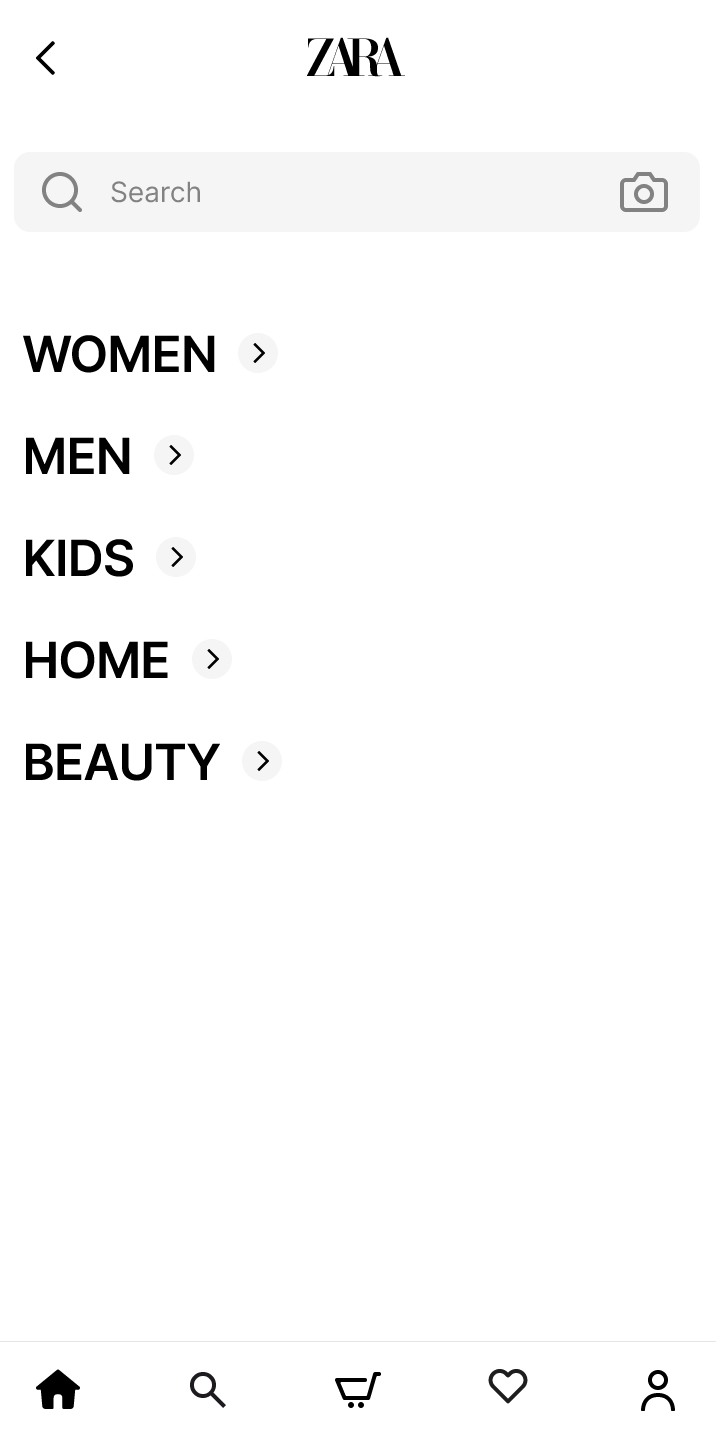
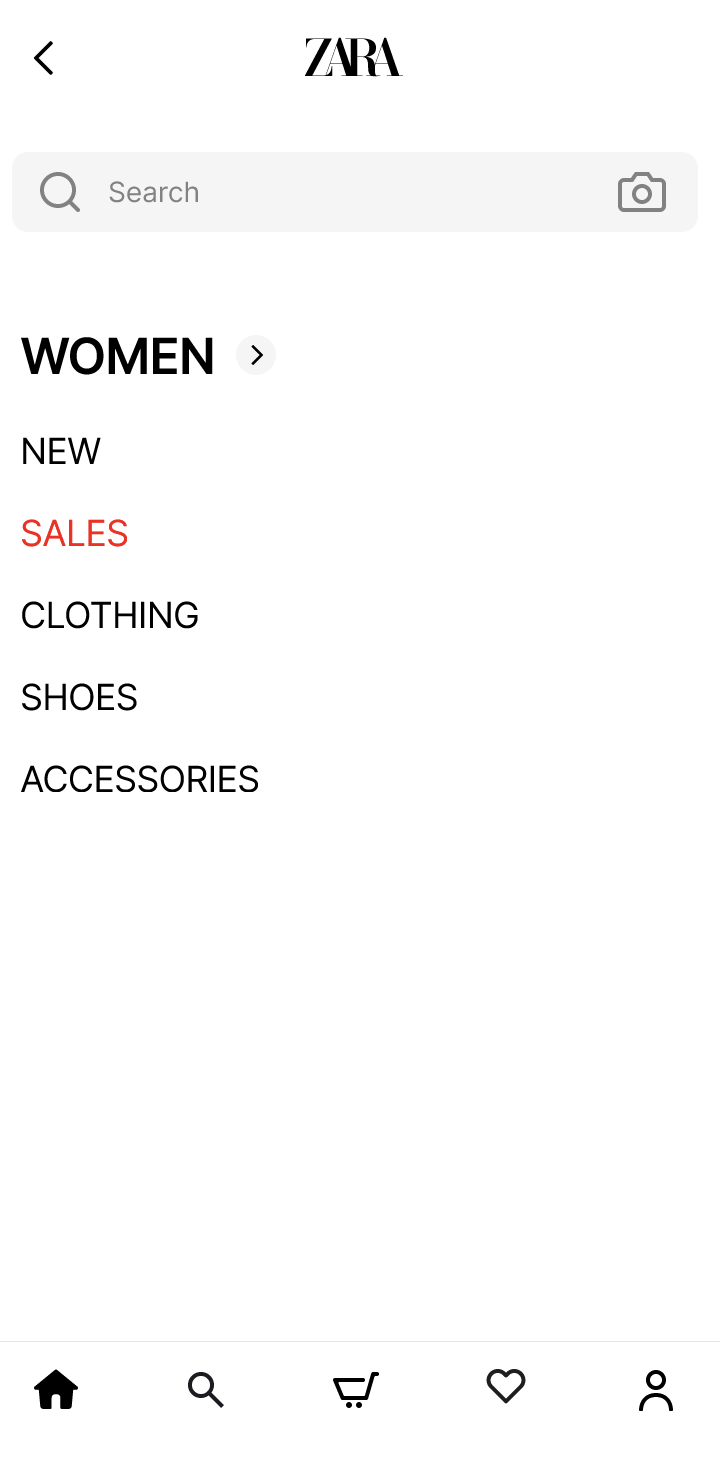
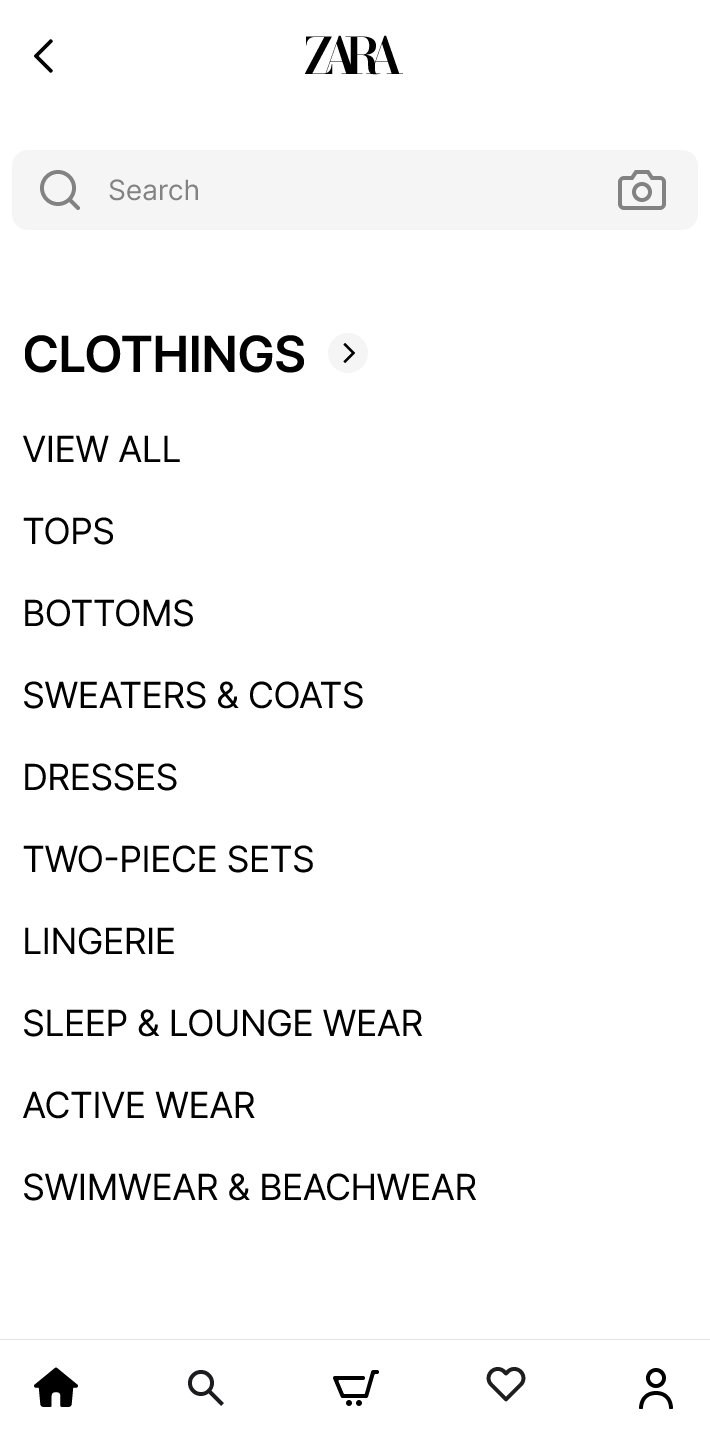
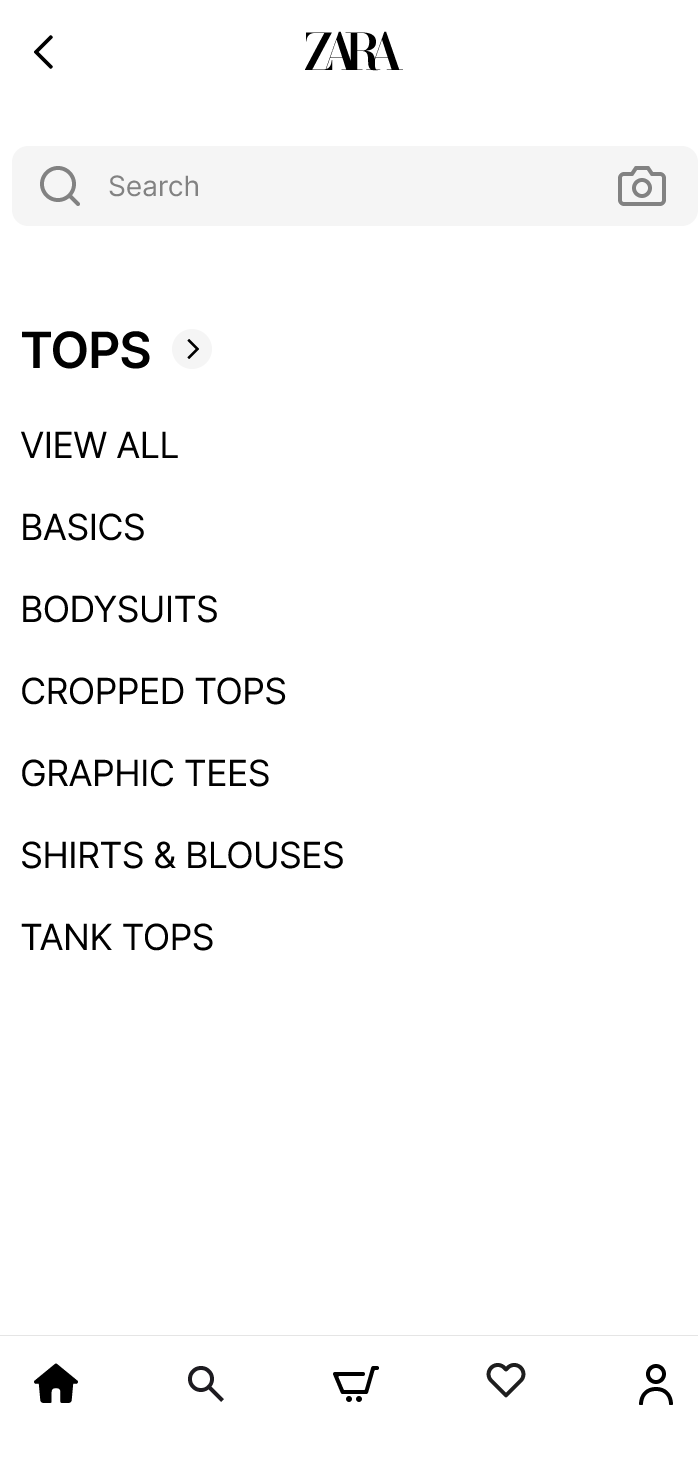
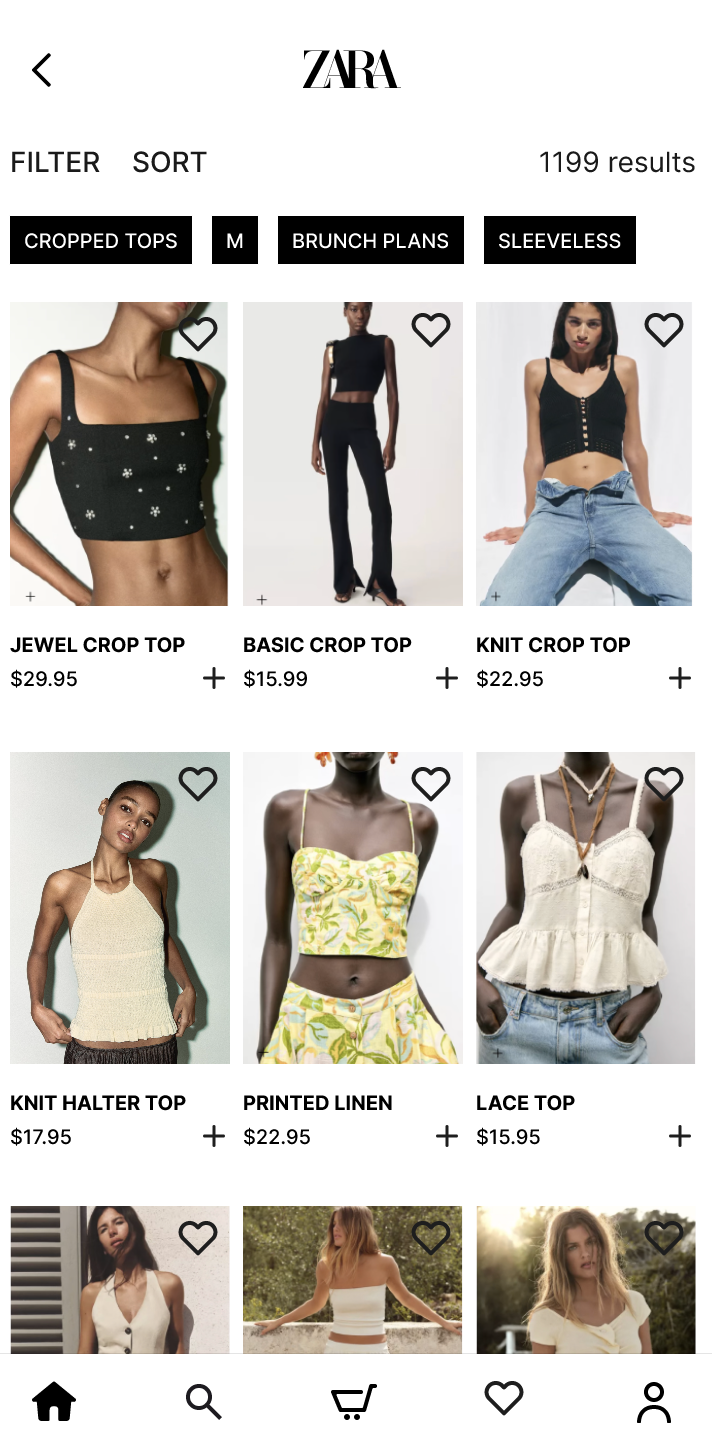
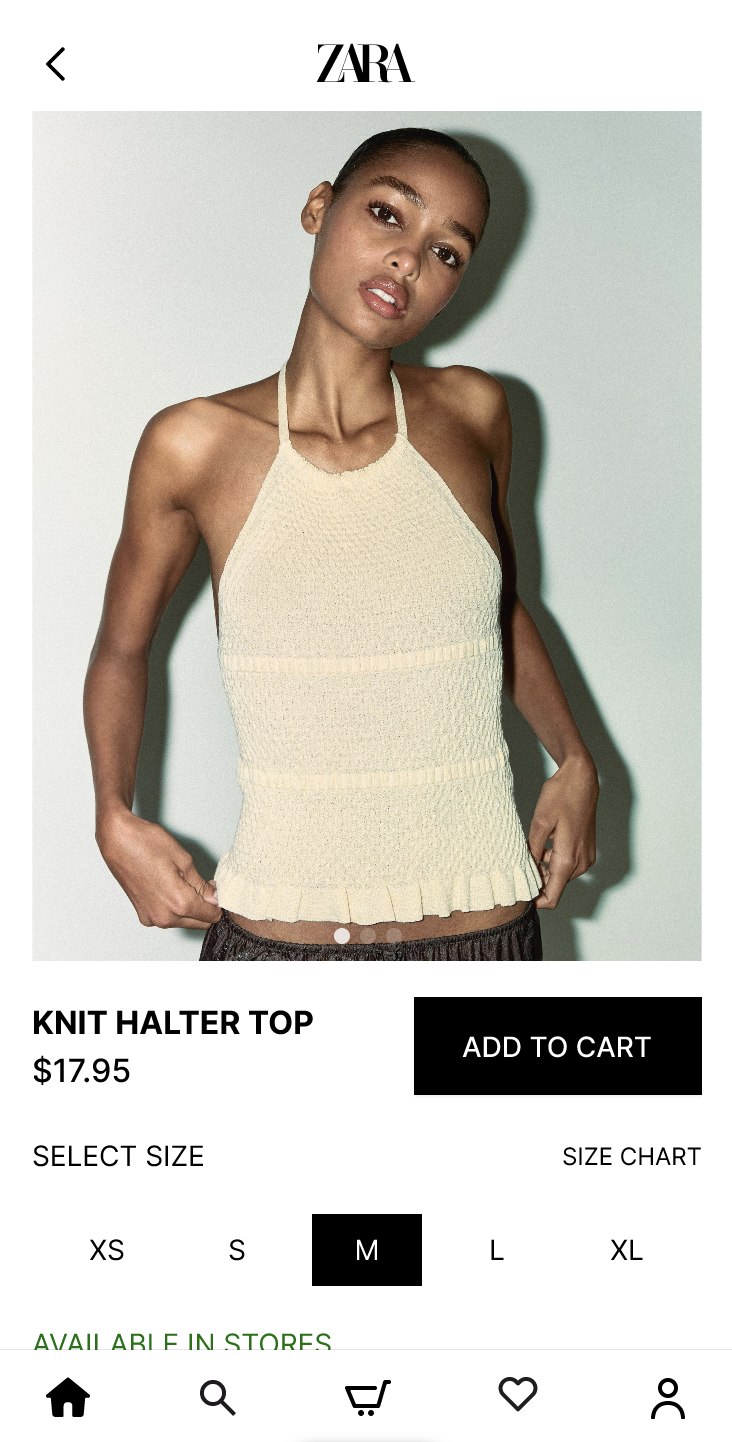
Polished Layouts, Finalized Interaction Patterns, Visual Hierarchy
- Intuitive scrolling behavior: Scrolling on product images reveals more images of the same product
- Clear Add to Cart CTA: Prominent button with high contrast makes the primary action obvious
- Simplified navigation: Reduced category depth and visible options minimize cognitive load
- Improved visual hierarchy: Larger product images and cleaner layout support inspiration browsing
Testing
Final validation
High Fidelity Usability Testing
A final round of testing with polished wireframes validated all improvements and confirmed the design meets success criteria.
Key Findings
- Scrolling behavior now matches user expectations
- Navigation feels significantly clearer
- Add to Cart button is easily discoverable
Confirmation of Problem Resolution
All core UX problems identified in the analysis phase have been addressed. Users report reduced cognitive load and improved browsing confidence.
Deployment
Final solution and future considerations
Final Design Overview
The redesign delivered a complete overhaul of the Zara mobile browsing experience with improvements to scrolling behavior, navigation structure, and visual hierarchy.
Key Improvements Delivered
Improved Scrolling Behavior
Product images now behave according to user expectations, reducing confusion
Clearer Navigation Structure
Simplified category depth and reduced visible options minimize decision fatigue
Stronger Call to Action Visibility
Add to Cart button stands out clearly, improving conversion potential
Parking Lot Items
Scope constraints excluded these ideas and enhancements, representing opportunities for future iteration.
- •Personalized product recommendations
- •Advanced filtering and sorting options
- •Wishlist and save for later functionality
Maintenance
Reflection and next steps
Outcomes and Learnings
Established UX laws guided the identification and resolution of real user problems. Every design decision drew on research and iterative testing, delivering a solution that addresses core friction points while maintaining design quality.
What Worked Well
- Using UX laws provided clear design direction
- Competitive analysis revealed familiar patterns
- Iterative testing validated improvements
What Could Be Improved
- •Earlier user testing in V1 phase
- •More quantitative metrics for validation
- •Broader scope to address more touchpoints
Future Enhancements
Conduct A/B Testing
Compare new design against current app with real users
Explore Personalization
Reduce choice overload through tailored recommendations
Expand to Desktop
Apply learnings to desktop browsing experience